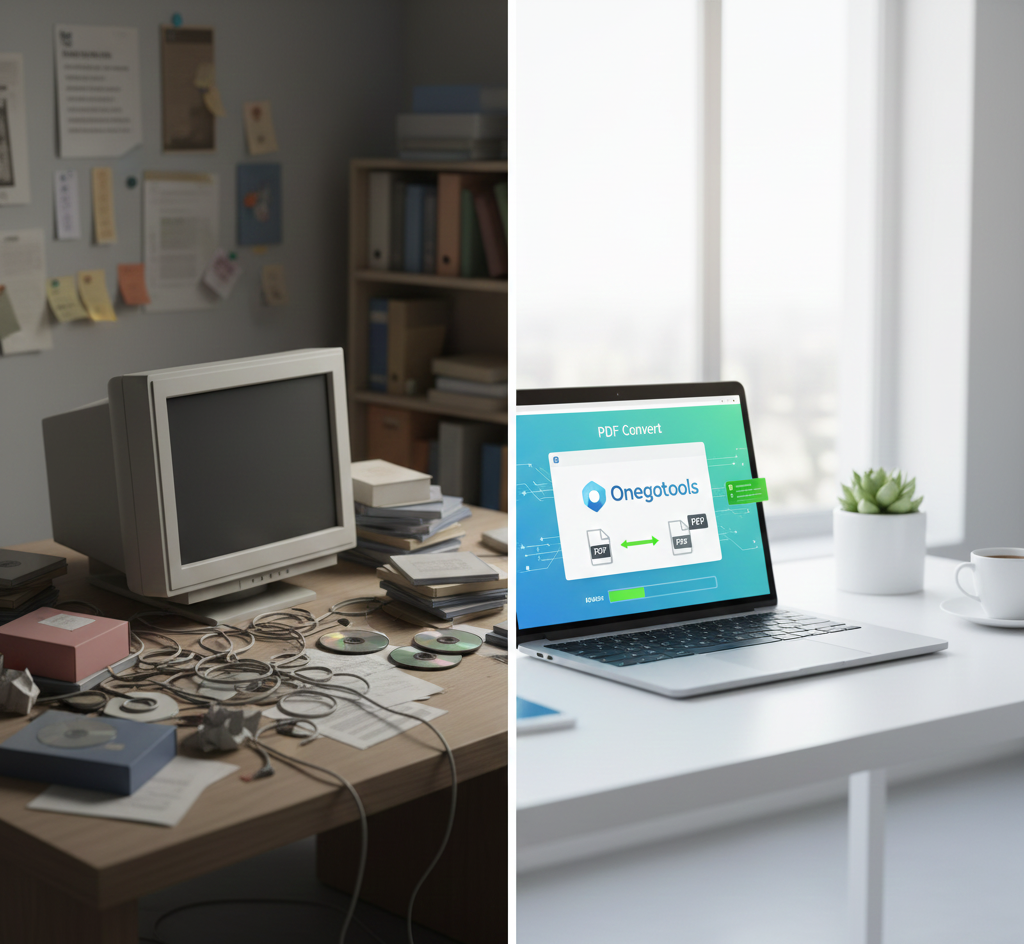
Why Online File Converters Are Becoming More Popular Than Software
In today's fast-paced digital world, the ability to quickly and efficiently convert files is more crucial than ever. Whether you're a student, a professional, or simply managing personal documents, the need to change file formats arises frequently. For years, traditional software solutions were the go-to option. However, a significant shift is underway. Online file converters, like those offered by Onegotools, are rapidly gaining popularity and, in many cases, surpassing the traditional software model. This blog post will delve into the reasons behind this shift, exploring the advantages that online converters offer over their software-based counterparts.
Table of Contents
- Introduction
- Speed and Convenience
- Enhanced Security Measures
- Cost Savings and Accessibility
- No Installation Required
- Client-Side Processing Advantages
- Online Converters vs. Software: A Detailed Comparison
- Frequently Asked Questions
- Conclusion
Speed and Convenience
One of the primary reasons for the rise of online file converters is the sheer speed and convenience they offer. Traditional software often requires a lengthy installation process, consuming valuable time and system resources. In contrast, online converters are readily accessible through any web browser. This means you can convert files from virtually any device with an internet connection, without the hassle of downloading or installing anything.
Consider the scenario: you need to quickly convert a PDF to a Word document while traveling. With online converters, you can simply access a website like Onegotools, upload your file, and download the converted document within seconds. This immediate accessibility is a game-changer compared to the cumbersome process of installing and launching software.
Key advantages of speed and convenience:
- Instant access from any device with an internet connection.
- No lengthy installation or setup required.
- Quick conversion times, often within seconds.
- Streamlined workflow for immediate needs.
Enhanced Security Measures
Security is a paramount concern in the digital age. Many users are hesitant to upload sensitive documents to online platforms. However, reputable online file converters prioritize security through various measures.
Onegotools, for instance, employs advanced encryption protocols to protect user data during upload, conversion, and download. Additionally, many online converters automatically delete files from their servers after a short period, further minimizing the risk of data breaches. Furthermore, many of these tools run conversions client-side, meaning the files never leave your computer.
Traditional software, while offering offline access, can be vulnerable to malware and security exploits if not regularly updated. Online converters, maintained by dedicated teams, often receive more frequent security updates, providing a more secure environment for file conversions.
Security features of online file converters:
- SSL encryption for data protection during transmission.
- Automatic file deletion after conversion.
- Regular security updates to address vulnerabilities.
- Option for client-side processing, keeping files on your device.
Cost Savings and Accessibility
Cost is another significant factor driving the popularity of online file converters. Traditional software often comes with a hefty price tag, requiring a one-time purchase or an ongoing subscription fee. This can be a barrier to entry for many users, especially those who only need to convert files occasionally.
Many online file converters, including Onegotools, offer free versions that allow users to convert a limited number of files per day. These free versions provide essential conversion functionalities without any financial commitment. For users who require more advanced features or higher conversion limits, paid subscriptions are available at a fraction of the cost of traditional software.
Furthermore, online converters eliminate the need for expensive hardware upgrades. Traditional software can be resource-intensive, requiring powerful computers to run smoothly. Online converters, on the other hand, perform the conversion process on their servers, reducing the burden on the user's device. This makes them accessible to a wider range of users, regardless of their hardware capabilities.
Cost benefits of online file converters:
- Free versions for basic conversion needs.
- Affordable subscription plans for advanced features.
- No need for expensive hardware upgrades.
- Reduced overall cost compared to traditional software.
No Installation Required
The absence of installation is a huge advantage of online file converters. Downloading, installing, and updating software can be tedious and time-consuming. It also takes up valuable disk space and can clutter your system. Online converters bypass this entire process. Since they run directly in your web browser, there's nothing to install or update. This makes them incredibly convenient and user-friendly, especially for those who are not tech-savvy.
Benefits of no installation:
- Saves time and effort by eliminating the installation process.
- Frees up disk space on your computer.
- Reduces system clutter and improves overall performance.
- Simplified user experience for non-technical users.
Client-Side Processing Advantages
Some advanced online file converters utilize client-side processing, which further enhances security and speed. Instead of sending your file to a remote server for conversion, the process is performed directly in your web browser using JavaScript or WebAssembly. This means your file never leaves your computer, providing an extra layer of privacy and security. Client-side processing can also be faster for smaller files, as it eliminates the time required to upload and download the data.
Advantages of client-side processing:
- Improved security by keeping files on your device.
- Faster conversion times for smaller files.
- Reduced reliance on internet connectivity.
- Enhanced privacy and control over your data.
Online Converters vs. Software: A Detailed Comparison
| Feature | Online File Converters | Traditional Software |
|---|---|---|
| Accessibility | Accessible from any device with internet | Limited to installed devices |
| Cost | Often free or low subscription cost | Can be expensive with upfront costs |
| Installation | No installation needed | Requires installation and updates |
| Security | Secure with encryption and auto-deletion | Vulnerable to malware if not updated |
| Speed | Fast for small files, dependent on internet speed | Fast for large files, independent of internet |
| Storage | No local storage required | Requires local storage space |
| Updates | Automatic updates | Manual updates required |
Frequently Asked Questions
Are online file converters safe to use?
Yes, reputable online file converters like Onegotools employ security measures such as SSL encryption and automatic file deletion to protect user data. Look for converters with clear privacy policies.
Do I need to pay to use an online file converter?
Many online file converters offer free versions with limited features. Paid subscriptions are available for users who require more advanced functionalities or higher conversion limits.
What types of files can I convert online?
Online file converters typically support a wide range of file formats, including PDF, Word, Excel, PowerPoint, image files (JPEG, PNG, GIF), and audio/video files.
Are online file converters as accurate as traditional software?
In most cases, online file converters provide accurate and reliable conversions. However, complex documents with intricate formatting may sometimes experience minor discrepancies.
Do online file converters store my files permanently?
No, most online file converters automatically delete files from their servers after a short period to protect user privacy.
Conclusion
The shift towards online file converters is driven by a combination of speed, convenience, cost savings, and enhanced security. While traditional software still has its place, the advantages of online converters are becoming increasingly compelling for a wide range of users. With platforms like Onegotools providing free and accessible tools, the future of file conversion is undoubtedly online. Whether you need to quickly convert a PDF to a Word document or compress an image for web use, online converters offer a streamlined and efficient solution that is hard to beat.



Comments (0)
Leave a Comment